
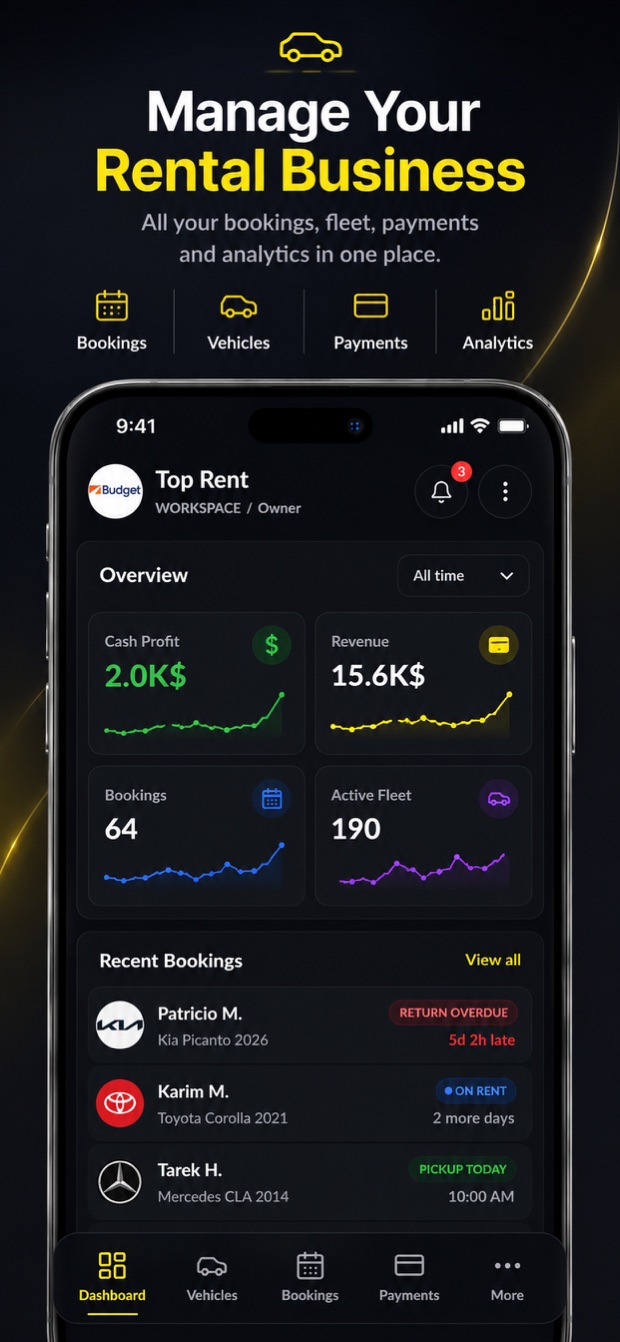
CAR RENTAL MANAGEMENT SOFTWARE

Car rental software.
Made mobile.

Know which cars are available, who's picking up next, and what's due back. Manage bookings, handovers, and payments from your phone — or your desk.

Mobile-first car rental management software.

Download VroomOS on the App Store

Built for iPhone.
Also available on the web.

YOUR RENTAL WORKSPACE iPhone app

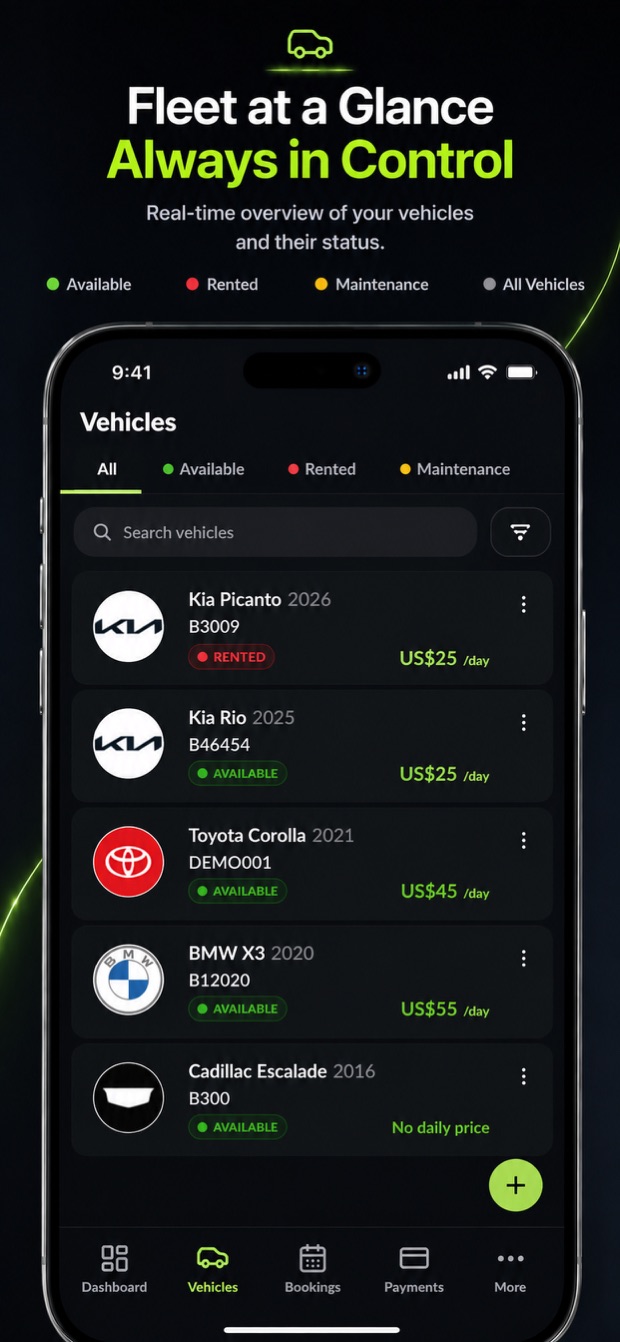
Actual VroomOS iPhone vehicle list with available, rented, and maintenance filters
Your fleet, always in view.

Screens from the VroomOS iPhone app · Example workspace data

Bookings & customersFleet availabilityPickup to return
Explore the software

BUILT AROUND RENTAL OPERATIONS

Every car. Every booking.
One rental workspace.

From a customer's first reservation to the final return inspection, keep the people, vehicles, and paperwork together.

01 / FLEET

Your fleet.
Always in view.

Open Vehicles and see what's available, rented, or in maintenance. Go straight into a car's profile for its photos, documents, mileage, expenses, and rental history.

  • Vehicle profiles and availability
  • Odometer, fuel, and condition records
  • Maintenance and expense tracking
Explore rental fleet management
Fleet availabilityEXAMPLE WORKSPACE
City compactEconomy · Automatic
Available
Family SUVReturn today · 16:00
On rent
Business sedanScheduled service
In service
Illustrative fleet view · Example vehicles and schedule
BookingsEVERY STEP, CONNECTED.
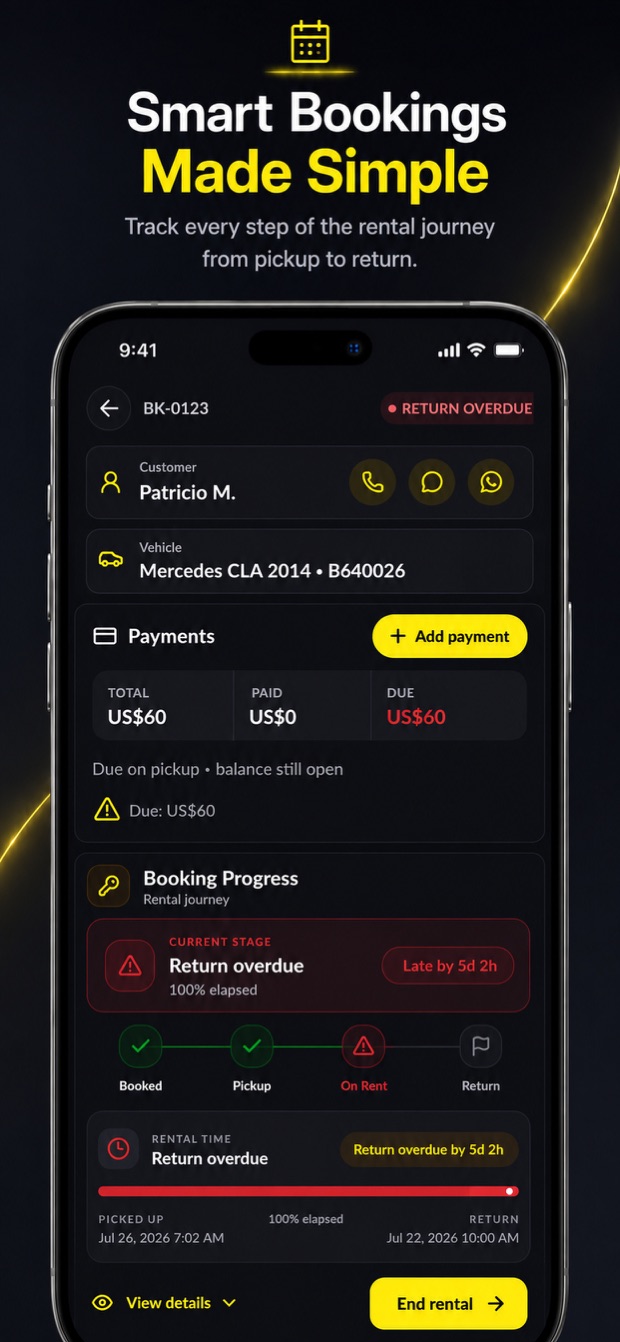
VroomOS booking detail on iPhone, with payments, customer contact actions, and booking progress
Customer. Car. Payments. Rental progress.
02 / BOOKINGS & CUSTOMERS

One booking.
Every next step.

Open a booking and see the customer, car, balance, and rental progress together. Contact the customer, record a payment, or move to the next stage right from your phone.

  • Booking details, add-ons, and locations
  • Customer profiles and rental history
  • Agreements and remote signing links
Explore car rental booking software

FROM KEYS OUT TO KEYS BACK

A proper workflow.
For every rental.

Reserve the car. Prepare the handover. Record the return. Keep your team working from the same rental record.

01

RESERVE

Start with a clear plan.

Choose the customer and vehicle. Set the dates, locations, rate, and extras. Keep the reservation details together from day one.

02

PREPARE & HAND OVER

Make the handover count.

Work through preparation and pickup. Capture vehicle condition, photos, fuel, mileage, and signatures as part of the rental journey.

03

RETURN & REVIEW

Close the loop.

Record the return, review the car's condition, and keep charges and payment records connected to the booking.

THE RENTAL JOURNEY

City compact

Booking #1042 · Alex Morgan
Reservation

Everything starts here.

Customer & vehicle
Pickup & return details
Rate & add-ons

A clear record before the keys change hands.

Illustrative workflow · Scroll to explore

THE REST OF THE RENTAL DESK

Less scattered admin.
More time for your customers.

Practical tools for the work around every car rental.

Payments with context.

Record payments, refunds, and outstanding balances alongside the customer and booking.

PAYMENTS & BALANCES

Condition, documented.

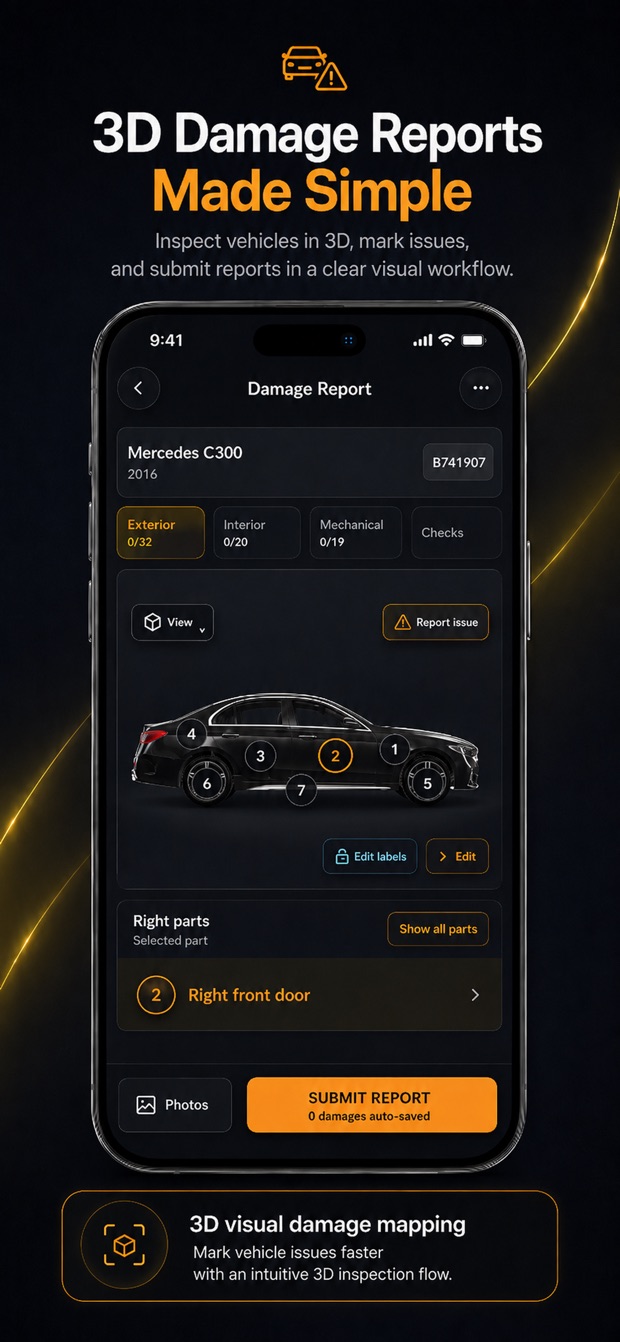
Keep vehicle photos, damage records, and inspection details available when you need the history.

INSPECTIONS & DAMAGE

See the bigger picture.

Use operational dashboards and reports to review bookings, fleet activity, and business performance.

DASHBOARDS & REPORTS

A workspace for the team.

Bring staff into your company workspace, assign tasks, and keep daily operations connected.

TEAM & DAILY TASKS

Your fleet, online.

Set up a customer-facing rental website to present your vehicles and receive booking requests.

CUSTOMER WEBSITE

Paperwork in its place.

Keep rental agreements and documents connected, and share signing links with customers.

DOCUMENTS & SIGNATURES

Feature availability and limits depend on your plan and workspace setup. Compare plans

AT THE DESK. BESIDE THE CAR.

Your rental office.
Now in your pocket.

Look up a vehicle in the lot. Check a booking at the counter. Record damage during a return. The actual VroomOS app, built for the places rental work happens.

Download VroomOS on the App Store

Images from the VroomOS App Store listing. Screen content is illustrative. Requires a VroomOS company account; features vary by plan.

Explore the mobile car rental management app

PLANS FOR YOUR FLEET

A fit for your fleet.
Room for your team.

Compare plans by active vehicles, team access, and the tools your rental company needs.

Find your plan
CHOOSE WHAT FITS YOUR BUSINESS
Active vehicle limits
Team member access
Included rental tools
See current plans and pricing

GOOD TO KNOW

A few things
before you start.

Visit support
What is car rental management software?

Car rental management software brings reservations, fleet availability, customer records, rental agreements, payments, and vehicle inspections into a shared system. VroomOS connects that work from booking through pickup and return, with an iPhone app for the lot and a web app for the rental desk.

Who is VroomOS built for?

The purpose of VroomOS is to help car rental company owners, managers, and authorized staff manage bookings, vehicles, customers, payments, inspections, and daily operations in one shared workspace.

Can I use it on my computer and iPhone?

Yes. You can open the web app in your browser or download VroomOS for iPhone. Sign in to your company workspace to access your business.

Does it cover pickup and return?

VroomOS supports preparation, handover, and return workflows, including vehicle condition, photos, mileage, fuel readings, and related rental records. Available steps depend on your workspace configuration.

Where can I compare plans?

The pricing page lists current plans, vehicle and team limits, and subscription details. Check the included features to choose the right fit for your business.

How do I get help getting started?

Visit the Help Center for product guides or contact support for help with your workspace.

YOUR NEXT RENTAL, ORGANIZED

Ready for a better
day at the rental desk?

Your fleet, bookings, and team. Together in VroomOS.